

Getting Started With Avi Part 2
Getting Avi Up And Running

Before I get started with this part, I just wanted to answer a quick question I have been getting in the comments.
Is Avi going take a huge amount of storage an memory on my computer?
The answer is NO. I have built one of the most data efficient systems out there. Avi takes up less space than about six pictures on your phone. Its internal graph and knowledge system can grown to millions of items and still take less space than a typical app takes to install.
I have been running hundreds of tests over the last couple of weeks with tens of thousands of items stored and still used less that 20mb of storage space. This is not a Microsoft Office app which takes 5GB to install.
Downloading The App
There are versions of Avi for Windows, OSX, and Linux. Download them below.
Download links are at the bottom of the page.
Once you have downloaded the version for your operating system, move it to an empty folder somewhere on your computer, this will become its home, where it stores it’s data. This can be anywhere you like. Once it is there, that folder becomes its fenced off location. It cannot access any other folders on your computer unless you give it permission to do so. (We will cover that another time).
Then simply click it to start. You will see this:
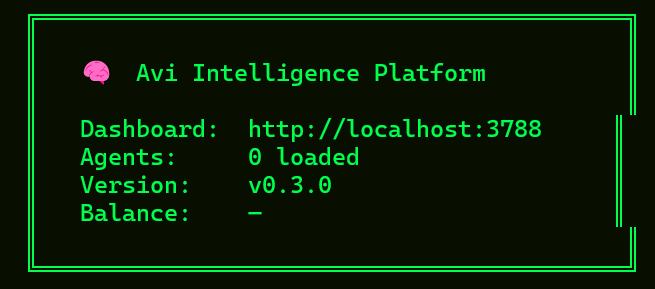
Now type in the URL shown into your browser and you should get this:
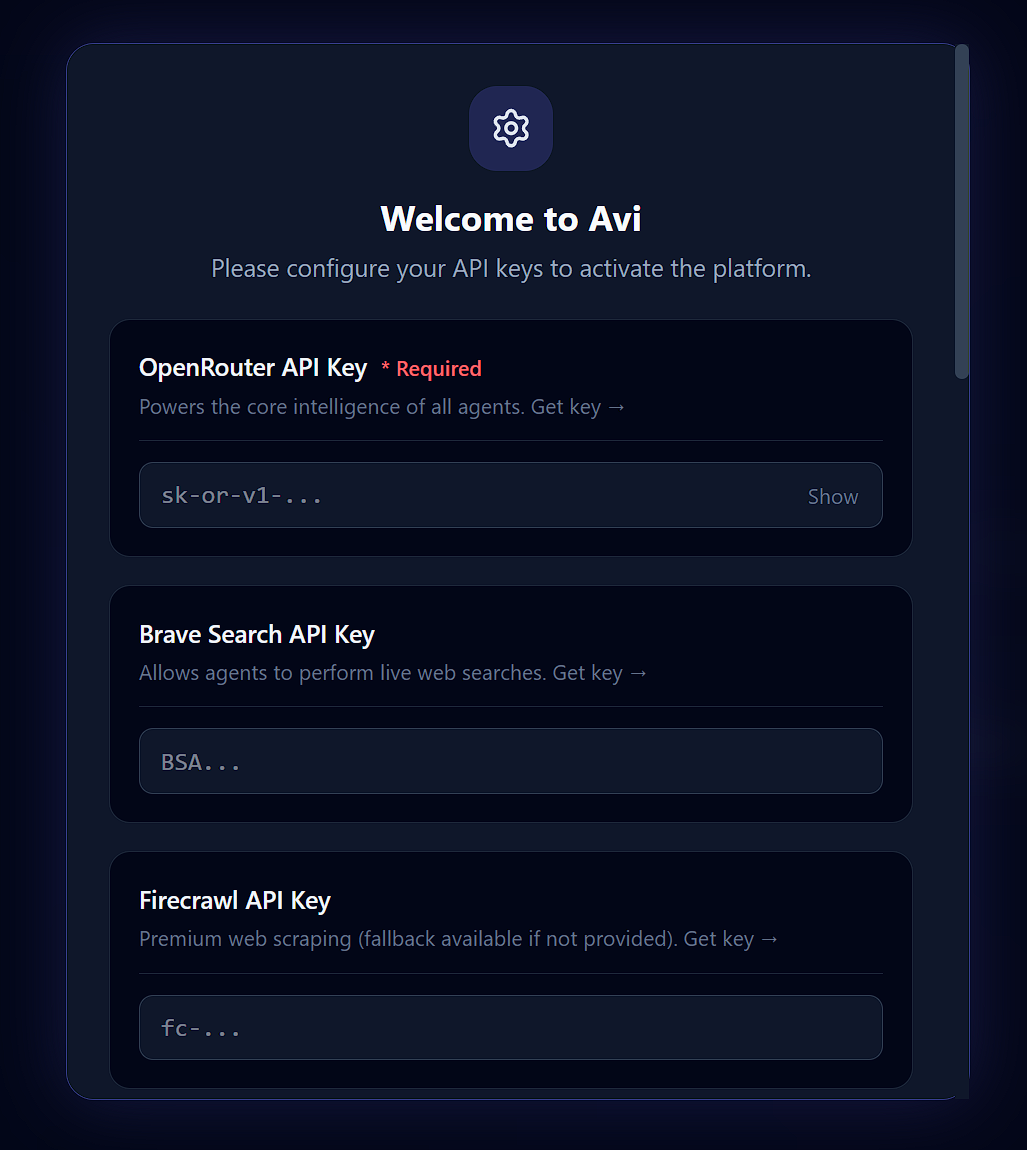
Paste all of the API keys you have and click Save and Continue at the bottom. You will then get to the dashboard home screen.
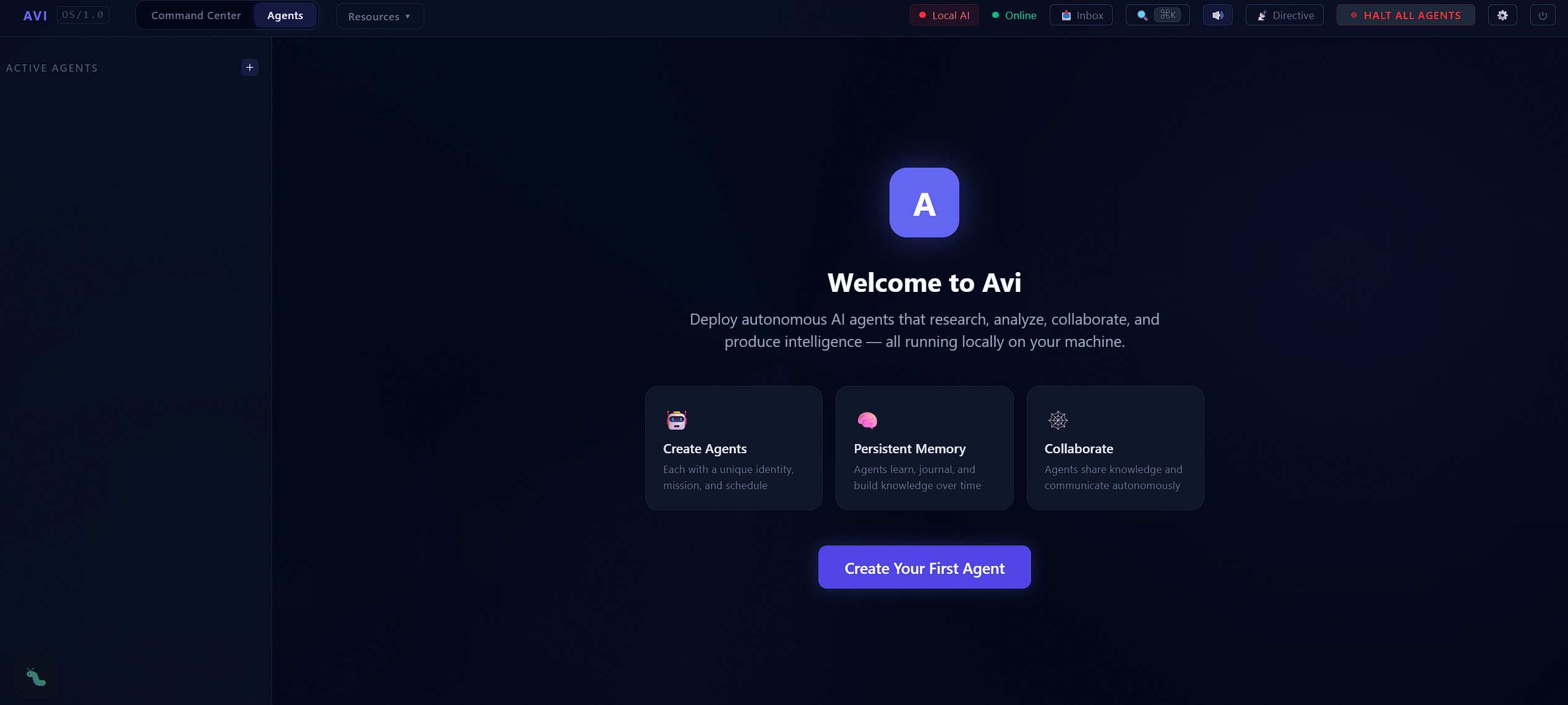
You now have a working Avi system.
So please have a good look around the system, try out one of the agents in the marketplace (Morning Routine is a good place to start) if you can’t wait. Explore through all of the menu options.
Explore the identity and input options in the agents config tab once you create an agent, and if you want to be safe for now and not burn credits then make sure you shut it down (top right icon) once you have finished.
(please note, that if you do have an agent running, it usually takes three or four cycles to find its feet and start working, this is normal. I will explain the workflow tomorrow.
I will go through setting up an agent and what everything does tomorrow.
Its gone 10:30 at night now here in the UK, I have been working on this since 7 this morning so I could get it out to you today, I will continue tomorrow.
As always, there is a little bug icon in the bottom left corner to report any issues.
Keep reading with a 7-day free trial
Subscribe to The Raine Report to keep reading this post and get 7 days of free access to the full post archives.